Investigate the Unknown. Document the Unseen.
Serious software and field tools for paranormal investigators who document, analyze, and question everything.
Our Story
Lodestra was built for investigators, by investigators.
We know what it is like to stand in a dark hallway with equipment running, cameras recording, audio rolling, and questions that need more than guesswork. Lodestra was created to give paranormal researchers better tools for the field, better ways to organize evidence, and a more serious approach to documenting the unexplained.
From case management software to field analysis tools, everything we build is designed around real investigation work: logging details, reviewing evidence, tracking locations, organizing files, and keeping the research grounded.
Lodestra is not about chasing shadows.
It is about building better ways to investigate them.
The Software
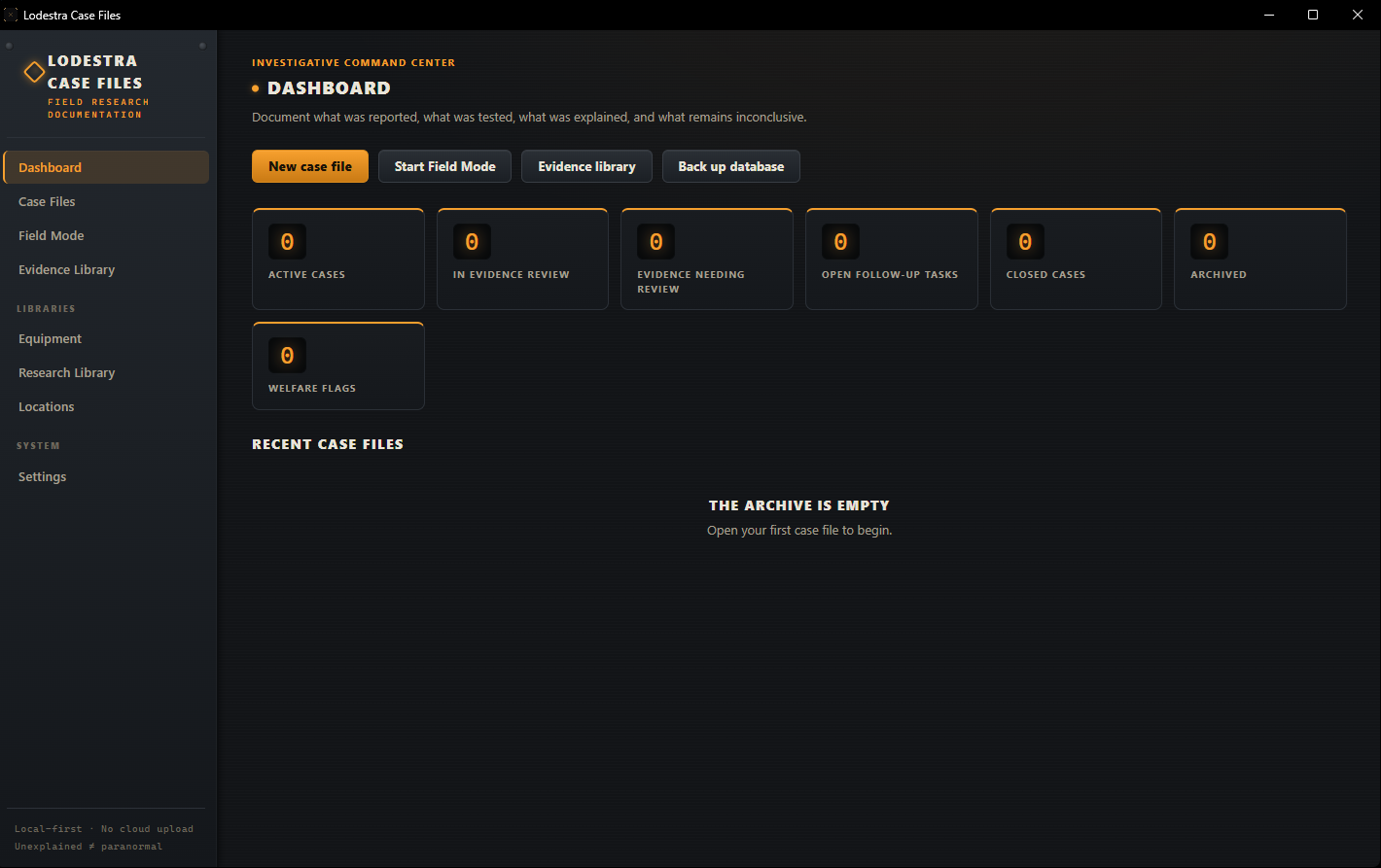
Paranormal Case File Manager
CASE MANAGEMENT SYSTEM
The whole investigation in one structured file, from the first client call to the final report. Log witnesses, location history, room-by-room readings, evidence, and debunks as the case unfolds, then export a conclusion that holds up.
- Structured case files
- Witness & client interviews
- Location history & research
- Room-by-room documentation
- Equipment & environment logs
- Debunking & natural causes
- Evidence management
- Professional final reports
$69.99 $49.99
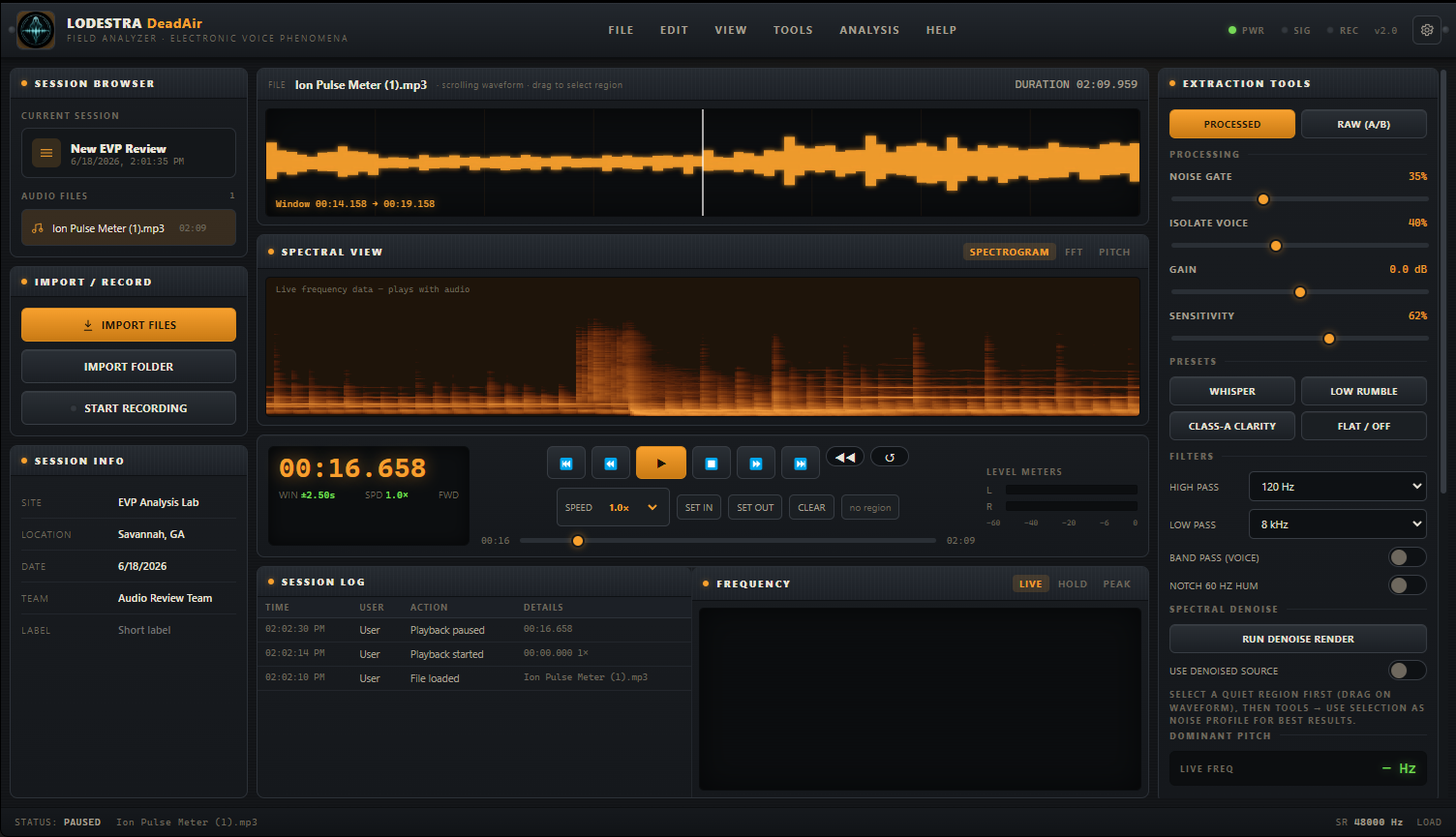
DeadAir Audio Analyzer Pro
PARANORMAL EVP ANALYSIS
See the signal, not just the sound. Scrub the waveform, inspect spectral detail, and review EVP with deeper control using DeadAir Pro. Clean up room tone and hum, build a non-destructive Layer Stack, slow or shift audio without damaging the original, then mark events, score contamination, classify EVP Class A/B/C, and export polished evidence reports. RAW comparison is always one click away.
- Scrolling waveform + spectral view
- Spectrogram, FFT bars & pitch trace
- Real-time cleanup, filters & spectral denoise
- RAW vs processed A/B comparison
- Non-destructive Pro Layer Stack
- Time stretch & pitch shift
- Markers with EVP Class A/B/C
- Contamination scoring & evidence notes
- Clip, processed WAV & JSON export
- PDF evidence reports & evidence cards
$29.99
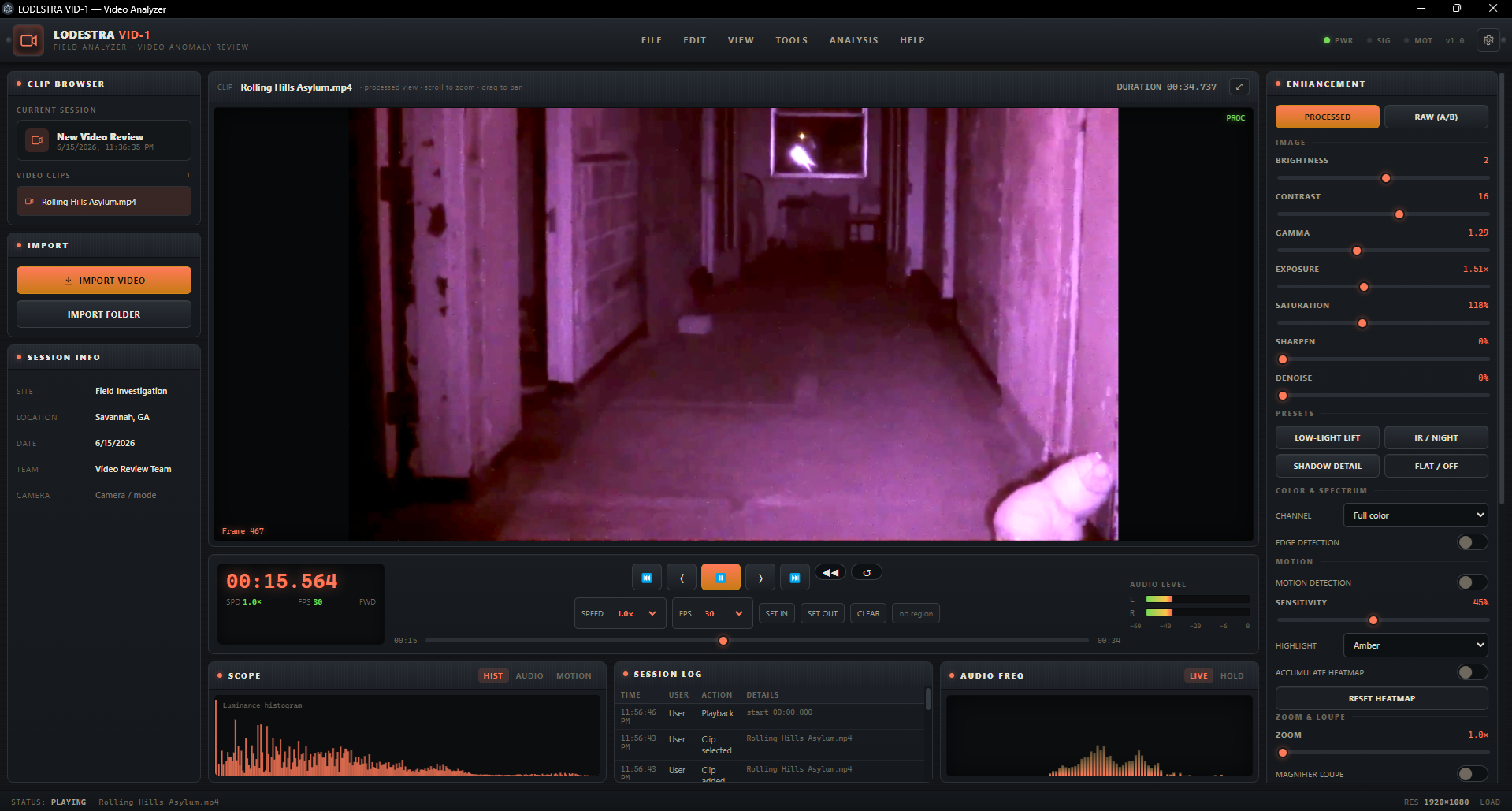
PhantomFrame Pro Video Analyzer
PARANORMAL VIDEO ANALYSIS
Review the footage. Find the movement. Prove what changed.
PhantomFrame Pro gives paranormal investigators a sharper way to examine video evidence. Step frame by frame, enhance dark footage without touching the original, run movement detection, build motion heatmaps, track a region of interest, scan long clips for events, and export a clean evidence report. RAW A/B keeps every enhancement honest.
- Frame-by-frame video review
- Low-light, IR, gamma, and shadow lift
- Movement detection
- Motion heatmap
- ROI tracking and motion paths
- Automated event detection
- Channel isolation and edge tools
- Synced audio review
- RAW A/B comparison
- PDF evidence reports
$29.99
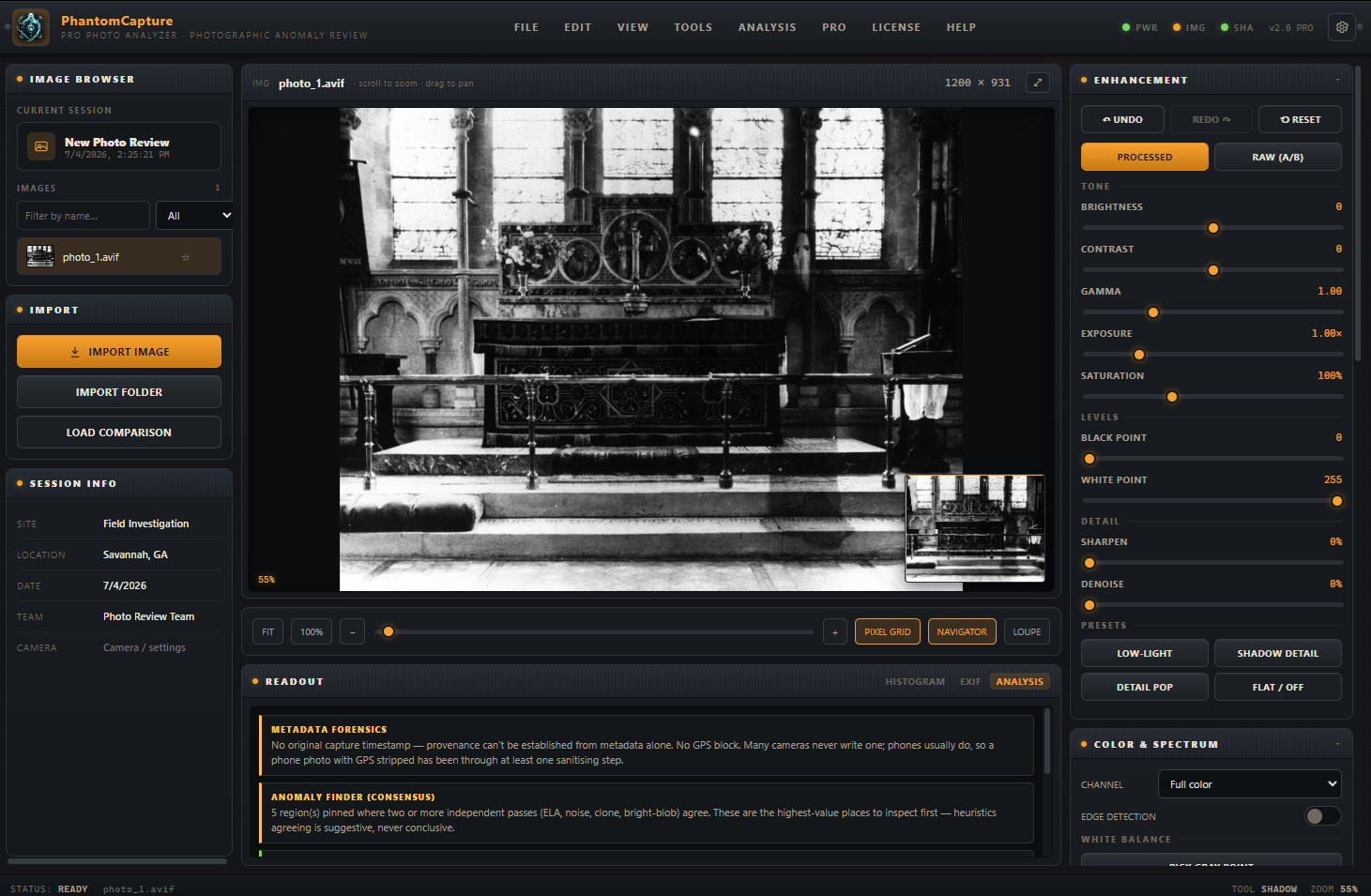
PhantomCapture Pro Photo Analyzer
PARANORMAL PHOTO ANALYSIS
Analyze paranormal photos with clarity and control. Inspect metadata, zoom into questionable areas, compare original and enhanced versions, tag possible anomalies, and export a grounded photo evidence report.
- Photo-by-photo evidence review
- Shadow lift & exposure tools
- EXIF metadata inspection
- Zoom, crop & detail review
- False-color & edge enhancement
- Channel isolation analysis
- Original vs enhanced comparison
- PDF photo evidence reports
$29.99 $19.99
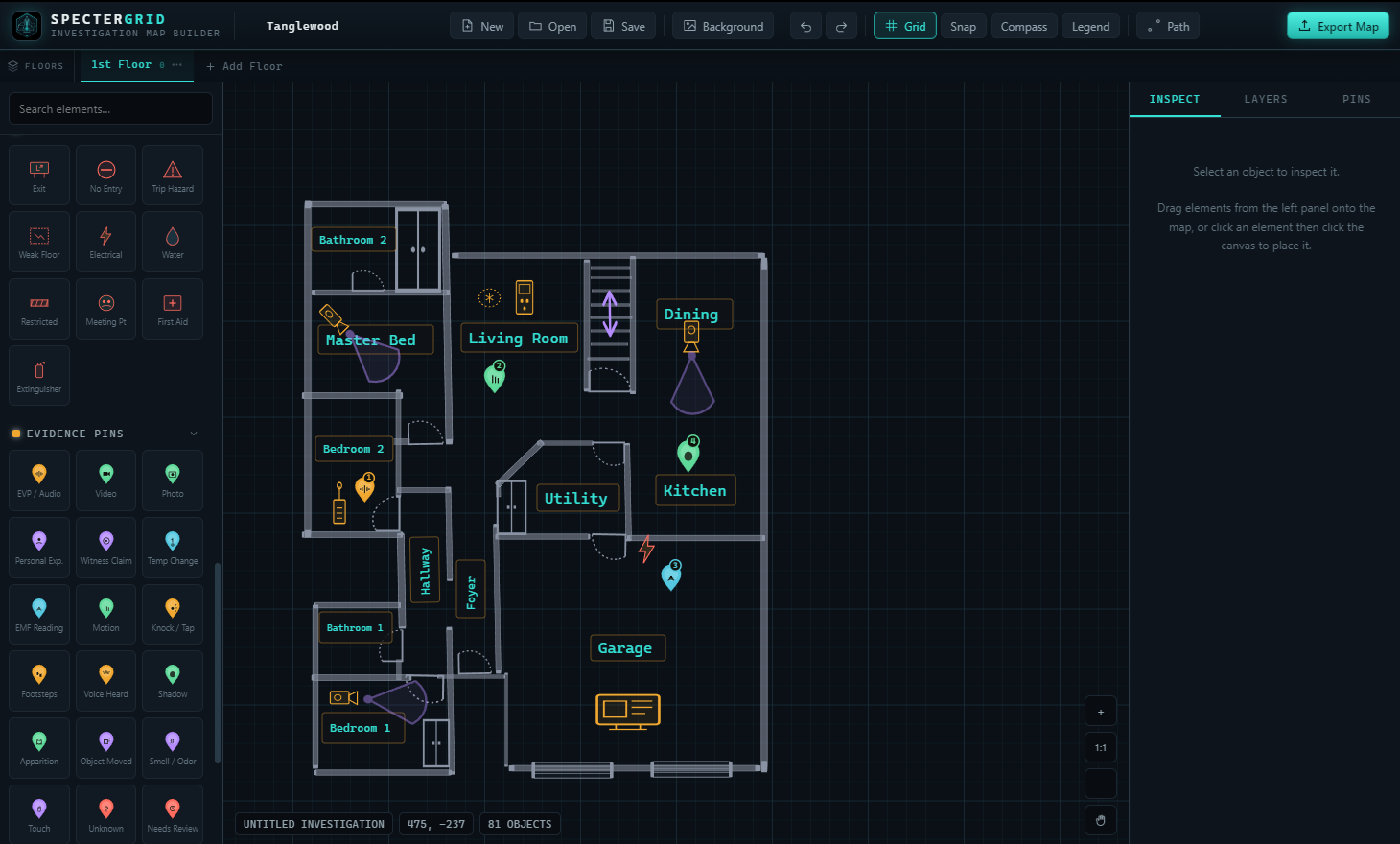
SpecterGrid Location Mapper
PARANORMAL LOCATION MAPPER
Map the scene, don’t just describe it. Build investigation layouts, mark rooms, place equipment, drop evidence pins, and export a clean visual map for your case file. Whether you’re documenting a private home, cemetery, hotel, theater, or abandoned location, SpecterGrid helps you show exactly where the activity happened.
- • Drag-and-drop location mapping
• Rooms, walls, hallways & entry points
• Doors, windows, gates, trees & outdoor elements
• Equipment placement markers
• Evidence pins for EVP, video, photo, EMF & personal experiences
• Optional map export with or without pins
• Clean image export for case files
• Built for paranormal investigation documentation
$29.99 $19.99