
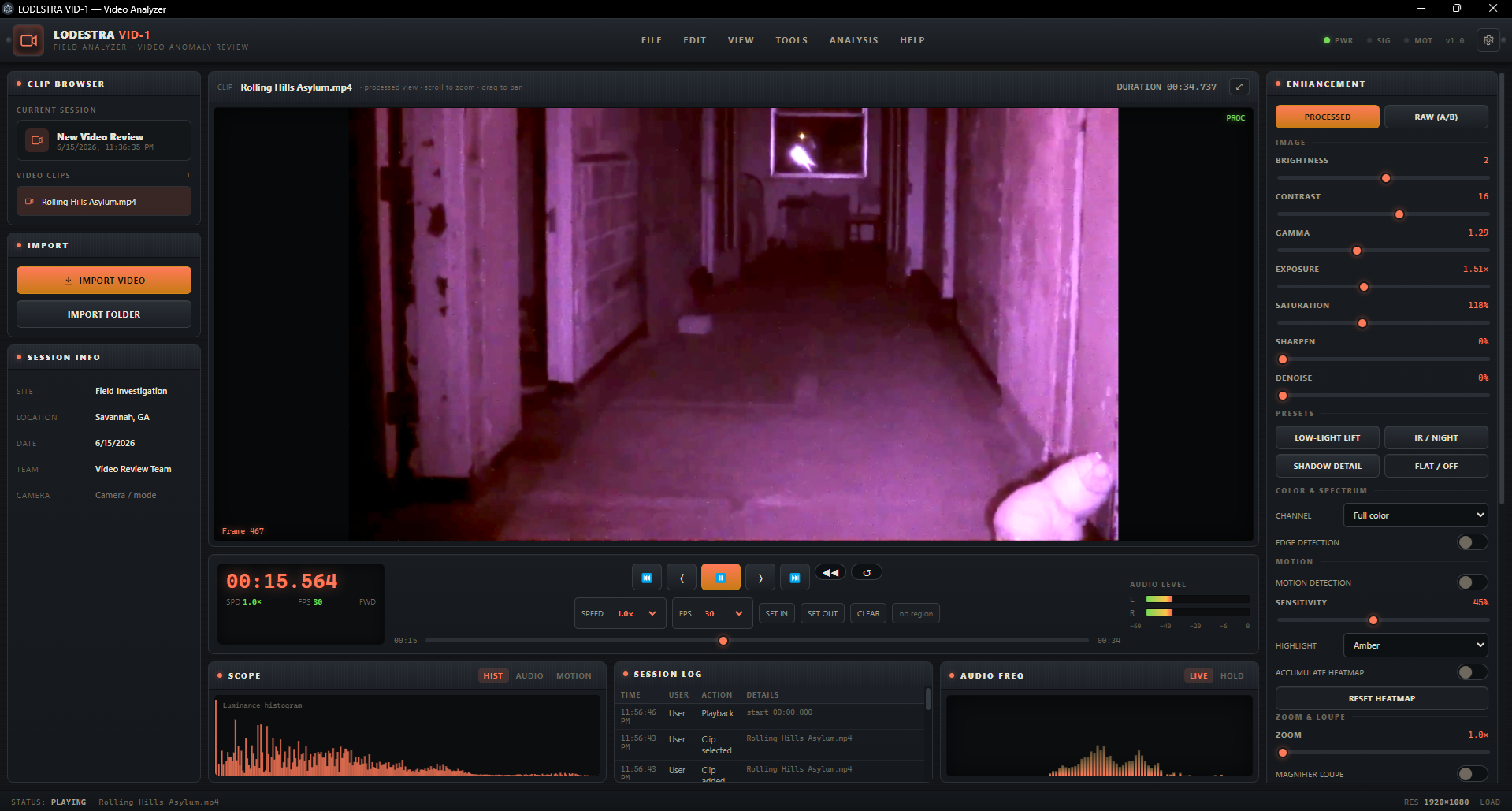
PhantomFrame Pro Video Analyzer (Desktop App)

$29.99

PhantomFrame Pro is a desktop video analyzer built for serious paranormal investigators who need to review, enhance, track, and document visual evidence with more precision. Load investigation footage, step frame by frame, compare raw and processed views, isolate channels, detect movement, track regions of interest, scan long clips for events, and export professional evidence reports.

All analysis runs locally on your computer. PhantomFrame Pro does not upload your footage, does not use AI to label anything paranormal, and does not alter your original files. It gives you the tools to examine what the footage physically contains, so your conclusions stay grounded, transparent, and defensible.
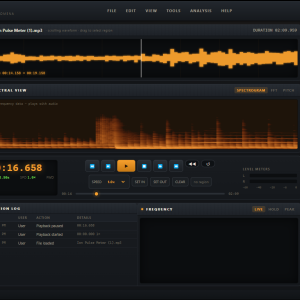
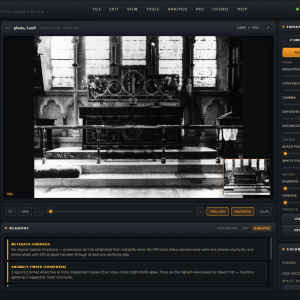
Review Paranormal Video Like a Field Instrument

PhantomFrame Pro is designed for investigators who do not want to simply “watch the footage again.” It gives you a structured workspace for careful video review: load clips, step through moments one frame at a time, compare enhancements against the untouched original, mark important timestamps, capture still frames, and document what you find.

Instead of treating video evidence like entertainment, PhantomFrame Pro treats it like field data.

Every tool is built around one principle: it should be just as easy to rule something out as it is to find something interesting.

A shadow in a hallway might be a lighting shift. A small blur could be dust, an insect, compression noise, or motion from a teammate. A strange glow might be overexposure, sensor noise, or something worth a closer look. PhantomFrame Pro helps you slow down, measure, compare, and document the moment before making a claim.

New Pro Features

ROI Tracking

PhantomFrame Pro includes Region of Interest tracking, allowing you to draw a box around a specific visual feature and follow its movement across frames.

Use ROI tracking to examine a moving shadow, light anomaly, object, reflection, insect, dust mote, or figure-like shape. PhantomFrame Pro plots the movement path and provides useful motion statistics such as average speed, peak speed, and straightness. This helps turn “it moved strangely” into something you can actually examine.

ROI tracking is especially useful for ruling out ordinary explanations. Dust often drifts slowly. Insects tend to move erratically. Falling or thrown objects usually follow a smoother arc. PhantomFrame Pro gives you a way to compare what you see against natural movement instead of relying only on impression.

Movement Detection

PhantomFrame Pro can compare frame-to-frame changes and highlight the pixels that moved. This makes it much easier to locate subtle activity in dark, grainy, or static footage.

Movement detection is not a paranormal verdict. It is a contamination tool. It helps reveal insects, dust, passing headlights, camera shake, curtain movement, team movement, shadows, reflections, and other ordinary sources of motion.

That is the point.

By showing you where motion happened, PhantomFrame Pro helps you identify what can be explained and isolate the moments that deserve deeper review.

Motion Heatmap

The Motion Heatmap accumulates movement over time into a visual map of activity. Instead of watching a long static clip and hoping you notice something, you can see where motion occurred most often or most strongly.

This is especially useful for long surveillance-style recordings, hallway cameras, locked-off tripod shots, empty room footage, or any investigation video where the camera stayed still for an extended period.

Automated Event Detection

Long clips can be painful to review. PhantomFrame Pro’s automated event scan analyzes a clip for notable motion changes and drops markers at timestamps where activity rises above the quiet baseline.

A two-hour static recording becomes a focused list of moments worth checking.

Every event still needs human review. PhantomFrame Pro does not tell you what the event is. It simply helps you find the parts of the footage where something changed, so you can spend your time reviewing instead of staring at an unmoving frame.

Built for Honest Evidence Review

PhantomFrame Pro does not use AI to decide what is paranormal. Its analysis is deterministic image processing, measuring real properties of the footage such as luminance, frame-to-frame motion, edges, channels, and visual changes.

That matters.

AI-generated labels can create false confidence. PhantomFrame Pro avoids that. It gives you tools, measurements, comparisons, and documentation, but the conclusion remains yours.

Local, Private, and Offline

Your footage stays on your own computer.

PhantomFrame Pro processes video locally. Nothing is uploaded to a server during analysis, and your investigation footage never leaves your machine. After a one-time sign-in for activation, PhantomFrame Pro can run offline.

This makes it ideal for private investigations, residential cases, historical locations, client-sensitive footage, and field work where internet access is unreliable.

Raw vs Processed Comparison

The PROCESSED / RAW A/B comparison lets you instantly compare enhanced footage against the untouched source frame.

This is one of the most important features in PhantomFrame Pro. Enhancements can reveal useful detail, but they can also exaggerate noise, compression artifacts, and false shapes if pushed too far. The raw comparison keeps the review honest.

Every visual claim should survive comparison against the original.

Non-Destructive Adjustment Layer Stack

PhantomFrame Pro includes a professional adjustment layer stack for non-destructive enhancement.

Instead of permanently changing the footage, you can stack enhancement layers over the original frame. Add, remove, reorder, or toggle adjustments at any time. The original video remains untouched.

Available adjustment tools include brightness, contrast, gamma, exposure, saturation, sharpen, denoise, highlight and shadow recovery, channel isolation, and edge detection.

This makes your enhancement process transparent. You can show what you changed, reverse it instantly, and keep a clear record of how a frame was processed.

Frame Stacking

Low-light investigation footage is often noisy. PhantomFrame Pro’s frame stacking tool averages multiple consecutive frames to reduce random sensor noise and bring out stable detail.

Frame stacking works best on still footage, such as a tripod shot of a doorway, hallway, room, window, or object. Random noise tends to fade, while consistent visual structure becomes easier to study.

If a suspected feature disappears when stacked, it may have been noise. If it remains, it may deserve closer review.

Channel Isolation

PhantomFrame Pro lets you isolate individual color channels: red, green, blue, or full color.

This is useful for night vision, infrared footage, low-light recordings, and noisy camera sensors. Some details are clearer in one channel than in the full combined image. The green channel, for example, may provide a cleaner luminance view in certain clips, while the blue channel may contain more visible noise.

Channel isolation gives you another way to test whether a suspected shape has real structure or is just image noise.

Edge Detection

Edge detection outlines visual boundaries in a frame. This helps you test whether a suspected figure, object, face, shadow, or anomaly has coherent edges, or whether it is only a soft blur created by noise, compression, or lighting.

It is especially useful for reviewing figure-like shapes, doorway shadows, reflections, and low-contrast movement.

Markers and Frame Grabs

When you find a moment worth documenting, drop a marker. PhantomFrame Pro captures the timestamp, grabs the current frame, and lets you add a label and notes.

Markers help organize your review into a clean evidence timeline. Instead of trying to remember where something happened, you can jump directly between marked moments and inspect each one frame by frame.

Evidence Reports

PhantomFrame Pro can generate branded evidence reports using your marked frames, notes, timestamps, session information, and investigator details.

This is ideal for paranormal teams, private cases, client files, historical location investigations, and internal review.

Your evidence report can include marked frames as exhibits, helping you present findings in a structured, professional format instead of scattered screenshots and loose notes.

Key Features

  • Desktop video analyzer built for paranormal investigation footage
  • Frame-by-frame video review
  • Precise playback controls
  • Zoom, pan, and magnifier loupe
  • RAW vs PROCESSED A/B comparison
  • Luminance histogram
  • Audio spectrogram view
  • Motion heatmap
  • Non-destructive adjustment layer stack
  • Brightness, contrast, gamma, exposure, saturation, sharpen, and denoise controls
  • Highlight and shadow recovery
  • Channel isolation: red, green, blue, and full color
  • Edge detection
  • Frame stacking for low-light footage
  • Movement detection
  • ROI tracking
  • Motion path plotting
  • Average speed, peak speed, and straightness stats
  • Automated event detection scan
  • Timestamped markers
  • Frame grabs
  • Evidence notes
  • Branded PDF evidence reports
  • Session and project export
  • Local processing
  • Offline use after first activation
  • Original footage remains untouched
  • Designed for serious paranormal evidence review

What PhantomFrame Pro Helps You Do

  • Review long investigation videos faster
  • Find movement in static footage
  • Identify contamination from dust, insects, light shifts, drafts, and team movement
  • Track a moving object or anomaly across frames
  • Compare motion patterns against ordinary explanations
  • Enhance dark footage without destroying the original
  • Test whether a visual shape has real structure
  • Capture and document key frames
  • Build professional evidence reports
  • Keep your review process transparent and defensible

What PhantomFrame Pro Does Not Do

PhantomFrame Pro does not claim that something is paranormal.

It does not use AI to make paranormal judgments.

It does not manufacture detail that was not recorded.

It does not upload your footage for cloud processing.

It does not alter your original video files.

PhantomFrame Pro is a serious review tool. It helps you examine the footage carefully, rule out ordinary causes, and document what remains.

Ideal For

  • Paranormal investigators
  • Ghost hunting teams
  • Historical location researchers
  • Evidence review specialists
  • Residential case investigators
  • Tour companies documenting strange footage
  • Researchers reviewing low-light video
  • Teams that need professional reports
  • Investigators who want better tools than basic media players

System Requirements

Operating System: Windows 10 or Windows 11, 64-bit
Memory: 8 GB recommended
Display: 1080p or larger recommended
Internet: Required once for first sign-in and activation
Offline Use: Available after activation
Supported Video Formats: MP4, MOV, WebM, AVI

A macOS build may be available separately.

Installation

After purchase, download and run the PhantomFrame Pro installer.

The first time you launch PhantomFrame Pro, sign in using the same account email and password used for your purchase. The software will verify your license once, then store activation locally on your device.

After activation, PhantomFrame Pro can run offline.

Important: If you do not see your login information after purchase, check your spam or junk folder.

License Information

Each account may activate PhantomFrame Pro on one device.

Reviews

There are no reviews yet.

Be the first to review “PhantomFrame Pro Video Analyzer (Desktop App)”

Your email address will not be published. Required fields are marked *

PhantomFrame Pro Video Analyzer (Desktop App)

$29.99

PhantomFrame Pro is a desktop video analyzer built for serious paranormal investigators who need to review, enhance, track, and document visual evidence with more precision. Load investigation footage, step frame by frame, compare raw and processed views, isolate channels, detect movement, track regions of interest, scan long clips for events, and export professional evidence reports.

All analysis runs locally on your computer. PhantomFrame Pro does not upload your footage, does not use AI to label anything paranormal, and does not alter your original files. It gives you the tools to examine what the footage physically contains, so your conclusions stay grounded, transparent, and defensible.
Review Paranormal Video Like a Field Instrument

PhantomFrame Pro is designed for investigators who do not want to simply “watch the footage again.” It gives you a structured workspace for careful video review: load clips, step through moments one frame at a time, compare enhancements against the untouched original, mark important timestamps, capture still frames, and document what you find.

Instead of treating video evidence like entertainment, PhantomFrame Pro treats it like field data.

Every tool is built around one principle: it should be just as easy to rule something out as it is to find something interesting.

A shadow in a hallway might be a lighting shift. A small blur could be dust, an insect, compression noise, or motion from a teammate. A strange glow might be overexposure, sensor noise, or something worth a closer look. PhantomFrame Pro helps you slow down, measure, compare, and document the moment before making a claim.

New Pro Features

ROI Tracking

PhantomFrame Pro includes Region of Interest tracking, allowing you to draw a box around a specific visual feature and follow its movement across frames.

Use ROI tracking to examine a moving shadow, light anomaly, object, reflection, insect, dust mote, or figure-like shape. PhantomFrame Pro plots the movement path and provides useful motion statistics such as average speed, peak speed, and straightness. This helps turn “it moved strangely” into something you can actually examine.

ROI tracking is especially useful for ruling out ordinary explanations. Dust often drifts slowly. Insects tend to move erratically. Falling or thrown objects usually follow a smoother arc. PhantomFrame Pro gives you a way to compare what you see against natural movement instead of relying only on impression.

Movement Detection

PhantomFrame Pro can compare frame-to-frame changes and highlight the pixels that moved. This makes it much easier to locate subtle activity in dark, grainy, or static footage.

Movement detection is not a paranormal verdict. It is a contamination tool. It helps reveal insects, dust, passing headlights, camera shake, curtain movement, team movement, shadows, reflections, and other ordinary sources of motion.

That is the point.

By showing you where motion happened, PhantomFrame Pro helps you identify what can be explained and isolate the moments that deserve deeper review.

Motion Heatmap

The Motion Heatmap accumulates movement over time into a visual map of activity. Instead of watching a long static clip and hoping you notice something, you can see where motion occurred most often or most strongly.

This is especially useful for long surveillance-style recordings, hallway cameras, locked-off tripod shots, empty room footage, or any investigation video where the camera stayed still for an extended period.

Automated Event Detection

Long clips can be painful to review. PhantomFrame Pro’s automated event scan analyzes a clip for notable motion changes and drops markers at timestamps where activity rises above the quiet baseline.

A two-hour static recording becomes a focused list of moments worth checking.

Every event still needs human review. PhantomFrame Pro does not tell you what the event is. It simply helps you find the parts of the footage where something changed, so you can spend your time reviewing instead of staring at an unmoving frame.

Built for Honest Evidence Review

PhantomFrame Pro does not use AI to decide what is paranormal. Its analysis is deterministic image processing, measuring real properties of the footage such as luminance, frame-to-frame motion, edges, channels, and visual changes.

That matters.

AI-generated labels can create false confidence. PhantomFrame Pro avoids that. It gives you tools, measurements, comparisons, and documentation, but the conclusion remains yours.

Local, Private, and Offline

Your footage stays on your own computer.

PhantomFrame Pro processes video locally. Nothing is uploaded to a server during analysis, and your investigation footage never leaves your machine. After a one-time sign-in for activation, PhantomFrame Pro can run offline.

This makes it ideal for private investigations, residential cases, historical locations, client-sensitive footage, and field work where internet access is unreliable.

Raw vs Processed Comparison

The PROCESSED / RAW A/B comparison lets you instantly compare enhanced footage against the untouched source frame.

This is one of the most important features in PhantomFrame Pro. Enhancements can reveal useful detail, but they can also exaggerate noise, compression artifacts, and false shapes if pushed too far. The raw comparison keeps the review honest.

Every visual claim should survive comparison against the original.

Non-Destructive Adjustment Layer Stack

PhantomFrame Pro includes a professional adjustment layer stack for non-destructive enhancement.

Instead of permanently changing the footage, you can stack enhancement layers over the original frame. Add, remove, reorder, or toggle adjustments at any time. The original video remains untouched.

Available adjustment tools include brightness, contrast, gamma, exposure, saturation, sharpen, denoise, highlight and shadow recovery, channel isolation, and edge detection.

This makes your enhancement process transparent. You can show what you changed, reverse it instantly, and keep a clear record of how a frame was processed.

Frame Stacking

Low-light investigation footage is often noisy. PhantomFrame Pro’s frame stacking tool averages multiple consecutive frames to reduce random sensor noise and bring out stable detail.

Frame stacking works best on still footage, such as a tripod shot of a doorway, hallway, room, window, or object. Random noise tends to fade, while consistent visual structure becomes easier to study.

If a suspected feature disappears when stacked, it may have been noise. If it remains, it may deserve closer review.

Channel Isolation

PhantomFrame Pro lets you isolate individual color channels: red, green, blue, or full color.

This is useful for night vision, infrared footage, low-light recordings, and noisy camera sensors. Some details are clearer in one channel than in the full combined image. The green channel, for example, may provide a cleaner luminance view in certain clips, while the blue channel may contain more visible noise.

Channel isolation gives you another way to test whether a suspected shape has real structure or is just image noise.

Edge Detection

Edge detection outlines visual boundaries in a frame. This helps you test whether a suspected figure, object, face, shadow, or anomaly has coherent edges, or whether it is only a soft blur created by noise, compression, or lighting.

It is especially useful for reviewing figure-like shapes, doorway shadows, reflections, and low-contrast movement.

Markers and Frame Grabs

When you find a moment worth documenting, drop a marker. PhantomFrame Pro captures the timestamp, grabs the current frame, and lets you add a label and notes.

Markers help organize your review into a clean evidence timeline. Instead of trying to remember where something happened, you can jump directly between marked moments and inspect each one frame by frame.

Evidence Reports

PhantomFrame Pro can generate branded evidence reports using your marked frames, notes, timestamps, session information, and investigator details.

This is ideal for paranormal teams, private cases, client files, historical location investigations, and internal review.

Your evidence report can include marked frames as exhibits, helping you present findings in a structured, professional format instead of scattered screenshots and loose notes.

Key Features

  • Desktop video analyzer built for paranormal investigation footage
  • Frame-by-frame video review
  • Precise playback controls
  • Zoom, pan, and magnifier loupe
  • RAW vs PROCESSED A/B comparison
  • Luminance histogram
  • Audio spectrogram view
  • Motion heatmap
  • Non-destructive adjustment layer stack
  • Brightness, contrast, gamma, exposure, saturation, sharpen, and denoise controls
  • Highlight and shadow recovery
  • Channel isolation: red, green, blue, and full color
  • Edge detection
  • Frame stacking for low-light footage
  • Movement detection
  • ROI tracking
  • Motion path plotting
  • Average speed, peak speed, and straightness stats
  • Automated event detection scan
  • Timestamped markers
  • Frame grabs
  • Evidence notes
  • Branded PDF evidence reports
  • Session and project export
  • Local processing
  • Offline use after first activation
  • Original footage remains untouched
  • Designed for serious paranormal evidence review

What PhantomFrame Pro Helps You Do

  • Review long investigation videos faster
  • Find movement in static footage
  • Identify contamination from dust, insects, light shifts, drafts, and team movement
  • Track a moving object or anomaly across frames
  • Compare motion patterns against ordinary explanations
  • Enhance dark footage without destroying the original
  • Test whether a visual shape has real structure
  • Capture and document key frames
  • Build professional evidence reports
  • Keep your review process transparent and defensible

What PhantomFrame Pro Does Not Do

PhantomFrame Pro does not claim that something is paranormal.

It does not use AI to make paranormal judgments.

It does not manufacture detail that was not recorded.

It does not upload your footage for cloud processing.

It does not alter your original video files.

PhantomFrame Pro is a serious review tool. It helps you examine the footage carefully, rule out ordinary causes, and document what remains.

Ideal For

  • Paranormal investigators
  • Ghost hunting teams
  • Historical location researchers
  • Evidence review specialists
  • Residential case investigators
  • Tour companies documenting strange footage
  • Researchers reviewing low-light video
  • Teams that need professional reports
  • Investigators who want better tools than basic media players

System Requirements

Operating System: Windows 10 or Windows 11, 64-bit
Memory: 8 GB recommended
Display: 1080p or larger recommended
Internet: Required once for first sign-in and activation
Offline Use: Available after activation
Supported Video Formats: MP4, MOV, WebM, AVI

A macOS build may be available separately.

Installation

After purchase, download and run the PhantomFrame Pro installer.

The first time you launch PhantomFrame Pro, sign in using the same account email and password used for your purchase. The software will verify your license once, then store activation locally on your device.

After activation, PhantomFrame Pro can run offline.

Important: If you do not see your login information after purchase, check your spam or junk folder.

License Information

Each account may activate PhantomFrame Pro on one device.

Reviews

There are no reviews yet.

Be the first to review “PhantomFrame Pro Video Analyzer (Desktop App)”

Your email address will not be published. Required fields are marked *