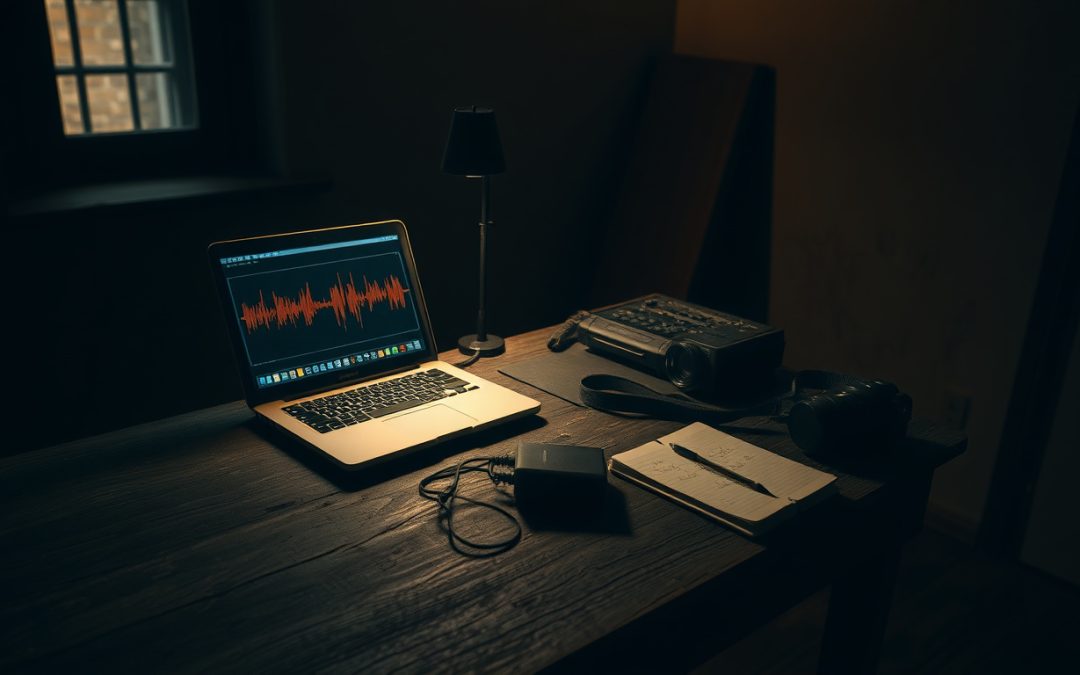
The real work of paranormal research happens long after the investigation ends. The audio recorder gets switched off, the cameras come down, and the team goes home with hours of footage, gigabytes of photos, and a notebook full of timestamps. Then comes the part nobody romanticizes: sitting at a desk, headphones on, going through all of it frame by frame and second by second. This is where most cases are made — or quietly dismissed. And it’s where good software earns its place.
The trouble is that reviewing evidence is exactly where our brains betray us. We hear a word in static because we expect a word. We see a face in a shadow because faces are what we’re built to find. A disciplined paranormal investigation needs tools that slow us down, preserve the original data, and force us to test the ordinary explanation before reaching for anything stranger. That’s the philosophy behind the Lodestra Razor: rule out the mundane first. Software can’t do that thinking for you, but the right software makes honest thinking easier.
This guide walks through the categories of tools that matter for serious evidence review — what they actually do, what they can’t do, and how to use them without fooling yourself.
What “Paranormal Software” Can and Cannot Do
Let’s be clear about the limits before we praise the strengths. No application detects ghosts. No algorithm confirms a spirit. What good paranormal research software does is far more modest and far more useful: it organizes data, preserves originals, surfaces detail you might miss, and produces documentation you can defend later.
Think of it the way a forensic analyst thinks of a microscope. The instrument doesn’t decide guilt or innocence. It lets a careful person see clearly and record what they see. Paranormal evidence software works the same way. It’s a discipline aid, not an oracle.
That distinction matters because the field is crowded with apps that flash colored lights and announce “words” or “presences” with cheerful confidence. Those tools generate excitement, not evidence. The software worth your time does the opposite — it makes you more cautious, not less.
The Three Questions Every Tool Should Help You Answer
Before adopting any paranormal investigation software, ask whether it helps you do three things:
- Preserve the original. Can you review and enhance a copy while the source file stays untouched and verifiable?
- Test the mundane explanation. Does it give you the means to compare, measure, and check against ordinary causes?
- Document defensibly. Can you produce a clear record that another investigator could follow and critique?
If a tool can’t do those things, it belongs in the entertainment category, not the research one.
Audio Review: The Heart of EVP Analysis Software
Electronic voice phenomena — apparent voices captured on audio that weren’t heard at the time — are among the oldest and most argued-over categories in parapsychology. The history runs back at least to the mid-twentieth century, when experimenters began noticing what sounded like speech buried in tape recordings. The phenomenon has never been demonstrated to require a paranormal source, and the leading explanations are firmly mundane: stray radio transmissions, equipment noise, electrical interference, and above all auditory pareidolia — the brain’s tendency to impose meaningful speech on random sound.
That last one is the real challenge. Tell someone what a muddy clip “says” before they hear it, and they will almost always hear it. This is why EVP analysis software has to be built around restraint rather than suggestion.
What EVP Software Actually Measures
Good audio analysis software gives you a few honest views into a recording:
- Waveform display shows amplitude over time, so you can locate exactly where a sound sits and how loud it is.
- Spectral or spectrogram analysis breaks sound into its frequency components. Human speech has recognizable structure — formants, harmonics, voiced and unvoiced segments. A genuine voice and a burst of broadband noise look different on a spectrogram, and learning to read that difference is one of the most valuable skills in EVP work.
- Cleanup tools like noise reduction and filtering can make a clip clearer, but they can also manufacture artifacts. Over-processing is how investigators accidentally create the very “voice” they then report.
The discipline here is to analyze before you interpret. Look at the spectrogram. Note the frequency range. Ask whether the sound has the structure of speech or merely the suggestion of it. Only then consider what was happening in the room.
A focused EVP review workspace helps enforce that order. The Lodestra EVP-1 Audio Analyzer combines waveform review, spectral analysis, marker tagging, evidence notes, and PDF reporting in one place, so you can document a clip’s exact timestamp, what you did to it, and why you reached your conclusion. That paper trail is what separates a logged observation from a story told secondhand.
A Responsible EVP Workflow
Here’s a workflow that respects the evidence and your own fallibility:
- Keep an audio log during the investigation — note every cough, footstep, car outside, and stomach growl, so you can later rule them out.
- Review the clip cold, before reading anyone else’s interpretation.
- Inspect the spectrogram to see whether the sound has speech-like structure.
- Resist labeling what it “says.” Describe it neutrally first.
- Document the file’s integrity so you can prove it wasn’t altered.
Video Review: Slowing Footage Down to See Honestly
Video evidence carries an air of authority — the camera doesn’t lie, we tell ourselves. In practice, cameras lie constantly. Low light produces sensor noise that looks like drifting orbs. Insects and dust near the lens become glowing spheres because they’re far out of focus. Compression artifacts smear shapes into something that looks deliberate. Auto-exposure shifts make shadows seem to move. A serious paranormal video software workflow exists to catch all of this before you ever call something anomalous.
What Video Analysis Tools Are For
The useful features in ghost hunting video analysis software are unglamorous and essential:
- Frame-by-frame stepping lets you isolate the single frame where something happens, instead of relying on a fleeting impression at normal speed.
- Brightness and contrast enhancement reveals detail in dark scenes — often showing that the “figure” was a coat on a chair or a reflection in a window.
- Motion detection flags movement you might otherwise miss, which is as likely to catch a curtain in a draft as anything else.
- Anomaly tagging lets you mark a timestamp and write down what you see and what the likely cause is.
Most “orbs,” when stepped through frame by frame and enhanced, resolve into airborne particles catching the infrared light. That’s not a disappointment. That’s the method working exactly as it should.
A tool like the Lodestra VID-1 Video Analyzer is built for this kind of patient review — enhancing dark scenes, stepping through motion, tagging the moments worth noting, and exporting an organized report, all processed locally on your own machine. The goal isn’t to confirm a haunting. It’s to find out what the footage actually shows.
Photo Review: Metadata, Light, and the Trap of Pareidolia
Photographs may be the easiest evidence to misread and the easiest to fake — sometimes accidentally. A long exposure turns a moving hand into a translucent streak. A camera strap dangles in front of the lens and becomes a “vortex.” A smudge on the glass catches a flash and reads as a face. And again, pareidolia does the rest: we find faces in wallpaper, curtains, and water stains because finding faces is what human vision is tuned to do.
Start With the Data Behind the Image
Before interpreting any image, examine its metadata. EXIF data records the camera settings, exposure time, ISO, whether the flash fired, and often the date and time. That information alone resolves a surprising number of “anomalies.” A long shutter speed explains motion blur. A high ISO explains heavy grain that looks like mist. The timestamp confirms when the photo was actually taken.
From there, disciplined photo analysis means enhancing detail without altering the original, running light and shadow checks to see whether a shape is consistent with the scene’s lighting, and comparing against control images of the same location taken under known conditions. The Lodestra PHO-1 Photo Analyzer is designed around exactly this kind of restraint — inspect metadata, enhance without touching the source file, mark possible anomalies, compare control images, and export a clean report you could hand to a skeptic.
The control image is the unsung hero here. A photo of the “shadow figure” in the doorway means little. The same doorway photographed in daylight, showing the coat rack that casts it, means everything.
Case Management: Where Paranormal Research Becomes Repeatable
Individual clips and photos are fragments. A case is the whole picture — the witness interviews, the floor plan, the environmental readings, the equipment used, the timeline of events, and every piece of evidence tied to the moment it was recorded. Without a system to hold all of that together, even strong observations dissolve into anecdote.
This is why a paranormal case file manager belongs at the center of any serious workflow. It’s the difference between “something weird happened upstairs” and a documented record showing the time, the conditions, what the team ruled out, and what remained unexplained after honest scrutiny.
What Good Case Software Preserves
Strong paranormal investigation documentation captures the things memory distorts:
- Witness statements recorded faithfully, before suggestion contaminates them.
- Environmental baselines — temperature, drafts, electromagnetic sources, structural quirks — so you know what “normal” looked like for that location.
- Evidence integrity, ideally with cryptographic hashing, so you can prove a file hasn’t been altered since collection.
- A timeline tying every observation to a moment, which often reveals mundane patterns — the “footsteps” that match a furnace cycle, the cold spot beneath a poorly sealed window.
The Lodestra Case File Manager is built around this approach: documentation sections that walk you from the first phone call to the final report, evidence integrity with SHA-256 hashing, a fullscreen Field Mode for investigation night, and branded client reports. Everything stays local on your own machine — no cloud, no account. For witness privacy and chain-of-custody alike, that local-first design matters more than it might first appear.
How to Choose Tools That Make You a Better Investigator
The best paranormal software shares a common trait: it assumes you might be wrong and helps you find out. When you’re comparing options, favor tools that preserve originals, that show you the underlying data rather than interpreting it for you, and that produce documentation a critic could examine. Be wary of anything that announces conclusions, generates “words” or “spirits” on its own, or encourages you to skip the unglamorous step of ruling out ordinary causes.
Used well, these tools won’t make the mysterious more common. They’ll make it rarer and more meaningful — because everything ordinary will have been stripped away first, leaving only what genuinely resists explanation. That residue, small as it usually is, is where real paranormal research lives.
If you want to see how disciplined evidence review works in practice — and try the field methods behind it — explore the research and tools at Lodestra. Bring your curiosity and your skepticism both. The good investigations have room for both.