
Description
Overview
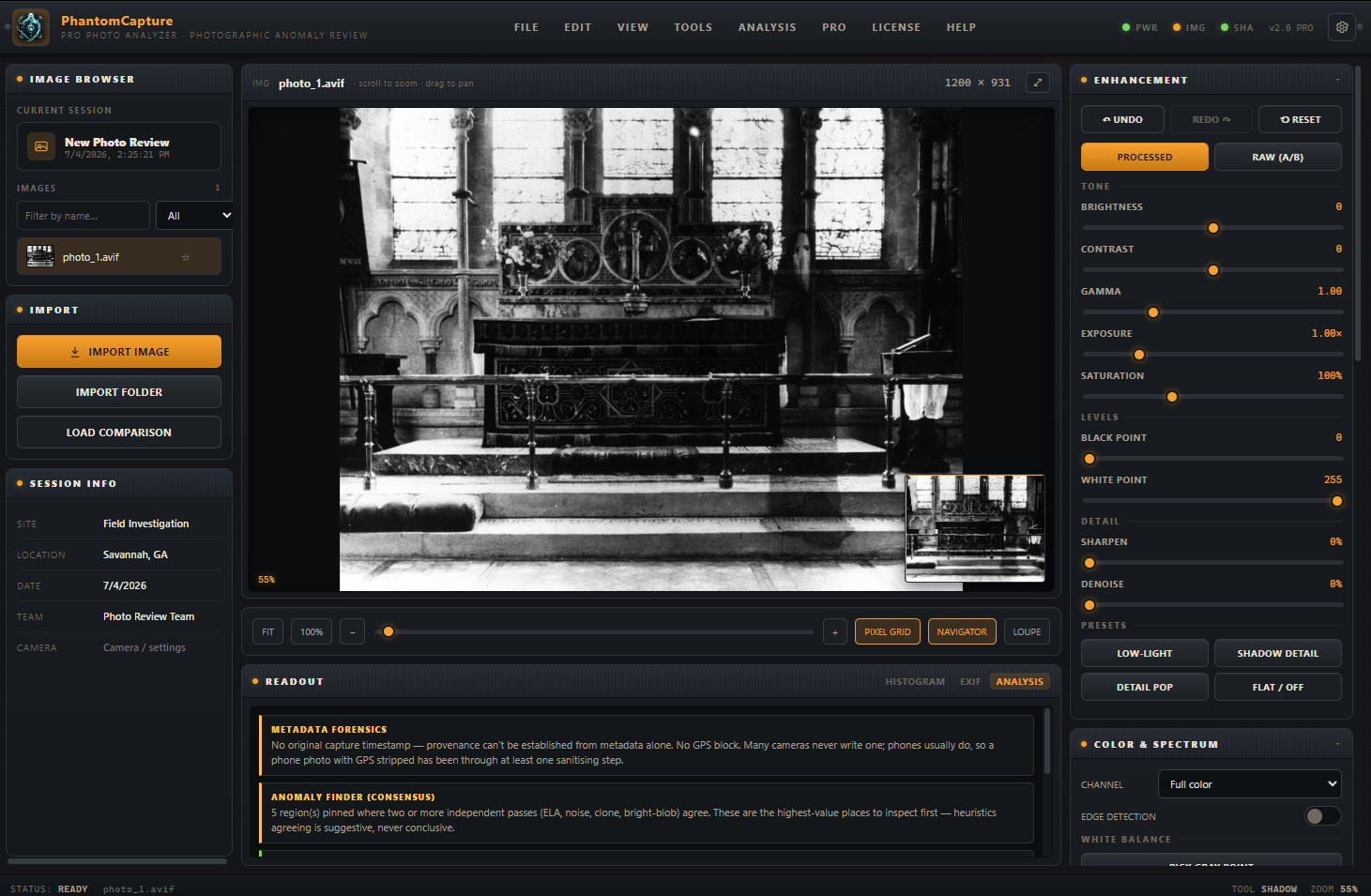
Most “orb” photos die the moment someone opens them in the right tool. PhantomCapture Pro is that tool: a standalone photo analyzer built specifically for paranormal field review, with the deep-zoom, enhancement, and forensic toolkit a photo analyst would actually reach for, wrapped in a dark field-console interface that runs entirely on your own machine.
Version 2.0 is the full Pro release: multi-frame and stacked-baseline comparison, a whole-folder batch triage pass, an anomaly finder that only flags what multiple independent tests agree on, metadata forensics, a JPEG compression-history estimator, keyboard-driven review mode, session templates, and three report formats, from a plain-language client summary to a full technical writeup.
Every pass in the app is built around one rule: findings are indicators worth a closer look, never proof. That honesty is baked into the verdicts, the reports, and the reference library, so your findings hold up when someone pushes back on them.
Core review tools
- Deep zoom and navigation — pixel-level inspection up to 3000%, live pixel-position and RGB/luminance readout, pixel grid, minimap navigator, and a tracking loupe
- Non-destructive enhancement — brightness, contrast, gamma, exposure, saturation, levels, sharpen, denoise, with instant RAW/processed A-B toggle and one-click Low-Light, Shadow Detail, Detail Pop and Flat/Off presets
- Color and spectrum tools — channel isolation (mono, R/G/B), false-color heat mapping (with a colorblind-safe palette option), edge detection, and full white balance control including click-to-pick gray point
- Measurement — ruler, angle tool, and shadow-direction analysis, with pixel-snap at high zoom
- Full undo/redo history on every adjustment, marker, and measurement
Comparison, built to be trusted
- Automatic resolution guard — comparing a larger and smaller photo always keeps your edits on the larger one, with a clear notice when it switches, and a manual override
- Four comparison modes — overlay, side-by-side with a draggable split, blink (adjustable speed), and difference (adjustable sensitivity)
- Synced zoom and pan across both images, so you’re always looking at the same corner of each
- Filmstrip — up to five burst frames rendered together, all tracking your zoom and pan at once, so a frame-to-frame anomaly jumps out immediately
- Stacked baseline — average several clean control frames into one noise-reduced reference and diff a suspect frame against the whole set, not just one photo
Forensic analysis
- Error Level Analysis, noise-consistency mapping, and clone/copy-paste detection for tampering indicators
- Metadata forensics — editor fingerprinting, capture-vs-file timestamp mismatch detection, GPS presence check, and flash-fired status, with an automatic first-look suggestion when you open a photo
- JPEG compression-history estimate — reads the file’s own quantization tables to estimate how many times, and how hard, it’s been re-saved
- Anomaly finder — runs the full forensic battery and pins only the regions where two or more independent tests agree, cutting through single-heuristic false positives
- Light and shadow tools — light-falloff mapping, catchlight/specular detection, flash-reflection finder, and a pareidolia check that separates real structure from noise-shaped faces
- Artifact reference library — an in-app field guide to the ten most common “anomaly” causes (dust orbs, moisture, insects, lens flare, straps, light trails, hot pixels, HDR ghosting, and more), each with its visual signature and its in-app test
Case-load workflow
- Batch analysis — run every forensic test across an entire imported folder at once, ranked by a weighted review-priority score, so you know where to look first
- Keyboard triage mode — a fullscreen, one-key-per-decision pass (keep / flag / discard) for working through hundreds of frames fast
- Search, star, and filter the photo browser by triage status or filename
- Session templates — save your standard intake setup, including which forensic passes auto-run on every new photo, and apply it in one click
- Session autosave with crash recovery, recent-projects list, and a full
.pprojproject format that preserves every marker, tag, verdict, and setting
Annotation and evidence integrity
- Numbered, tagged, colored markers with labels and free-text notes, including custom tag types with your own colors
- SHA-256 fingerprinting of every original file the moment it opens, so provenance is never in question
- Annotation export/import for sharing findings between investigators on the same photo, hash-checked to catch mismatches
- Marker crop export for instant zoomed detail figures
Reporting
- Three report templates: a full field report with EXIF and marker log, a plain-language client summary, and a technical report with the compression, metadata, and consensus findings included
- Print-sheet export — a labeled original/processed/analysis comparison sheet, ready for a client meeting
- Optional watermarking with your team’s logo, name, and case info burned into every exported image
Getting photos in
- Import single files, whole folders, or drag-and-drop
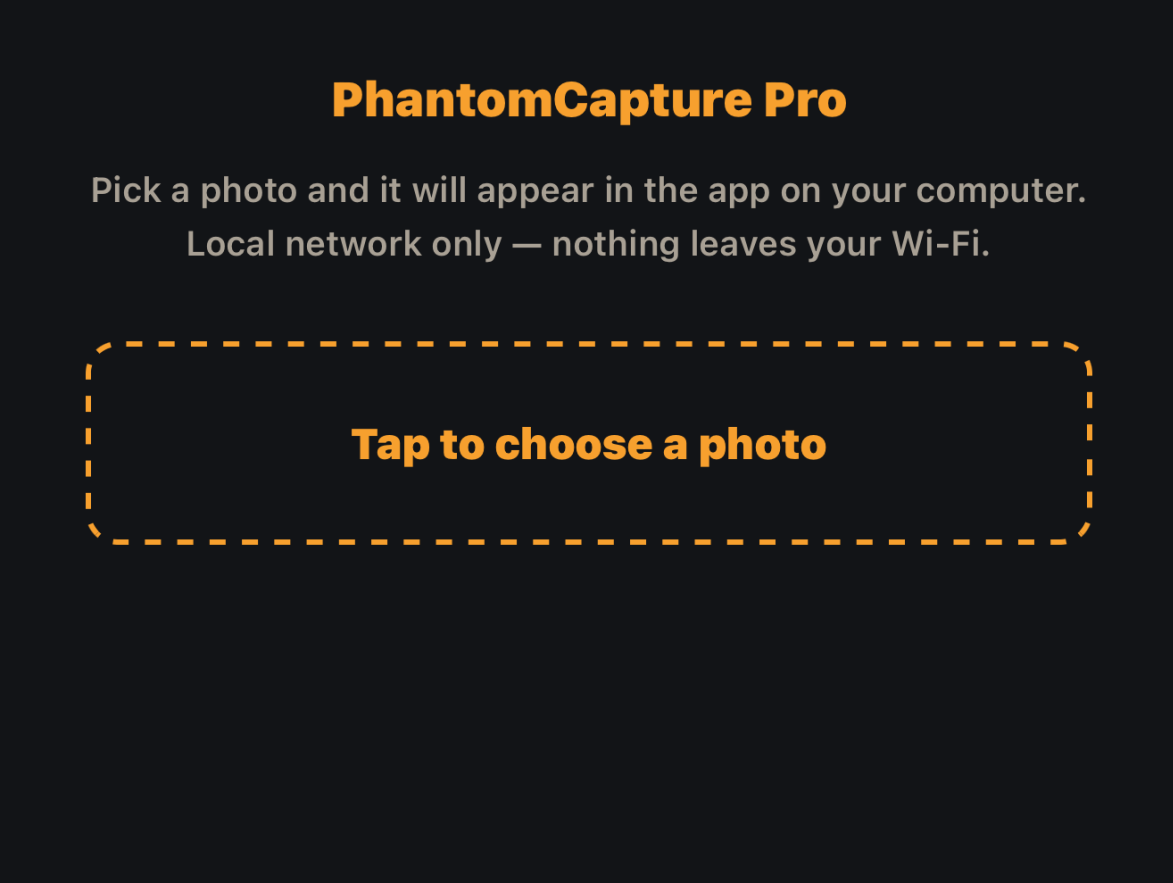
- Receive from phone — a temporary, local-network-only transfer so a phone can send photos straight into a session without cloud, cable, or email
- Burst auto-pairing suggests A/B comparisons the moment two related frames are imported
Licensing
One sign-in per device against your Lodestra account activates PhantomCapture Pro with an offline, machine-bound license. After that first activation, no internet connection is required to run the app, anywhere. Re-activating the same computer never uses an extra device slot.
Specifications table
| Version | 2.0.0 |
| Platforms | Windows 10/11 (64-bit), |
| Installer size | ~150 MB |
| Internet required | Only for one-time activation and optional phone import |
| File formats supported | JPEG, PNG, WebP, GIF, BMP, TIFF |
| RAW support | Not decoded in-app; convert to JPEG/TIFF first |
| Data handling | 100% local processing; photos and reports never leave your machine |
| Device activation | Per-purchase device cap; deactivate anytime to free a slot |
| License type | Perpetual, tied to your Lodestra account |
| Documentation | 37-page illustrated PDF user manual included |
| Part of | Lodestra Field Kit (alongside PhantomFrame Pro, DeadAir Pro, SpecterGrid, Case Files) |
Reviews
There are no reviews yet.