
Description
Map the location. Mark the evidence. Rebuild the investigation.
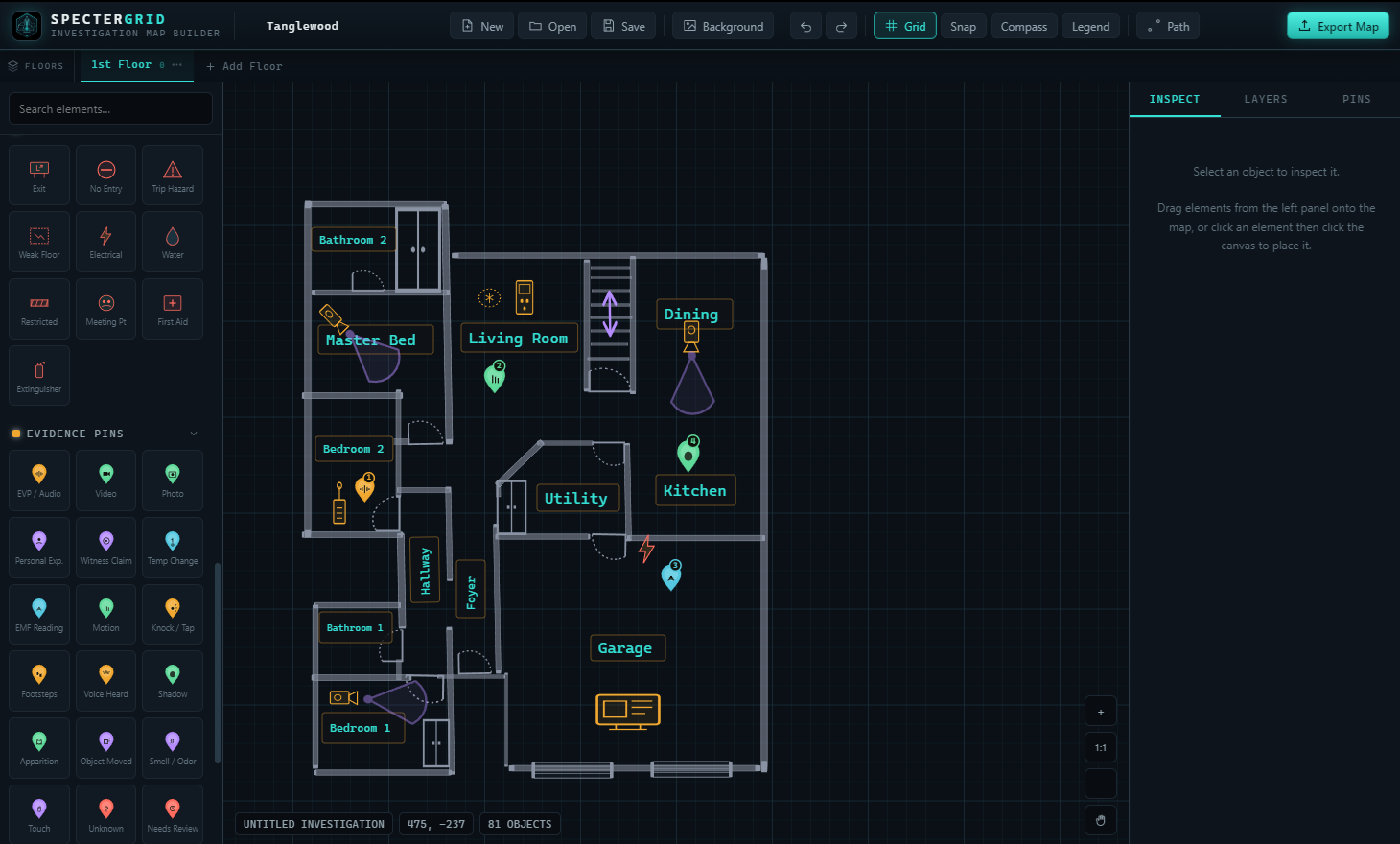
SpecterGrid is a paranormal location mapping tool built for ghost hunters, paranormal research teams, and field investigators who need a better way to document where activity happened during an investigation.
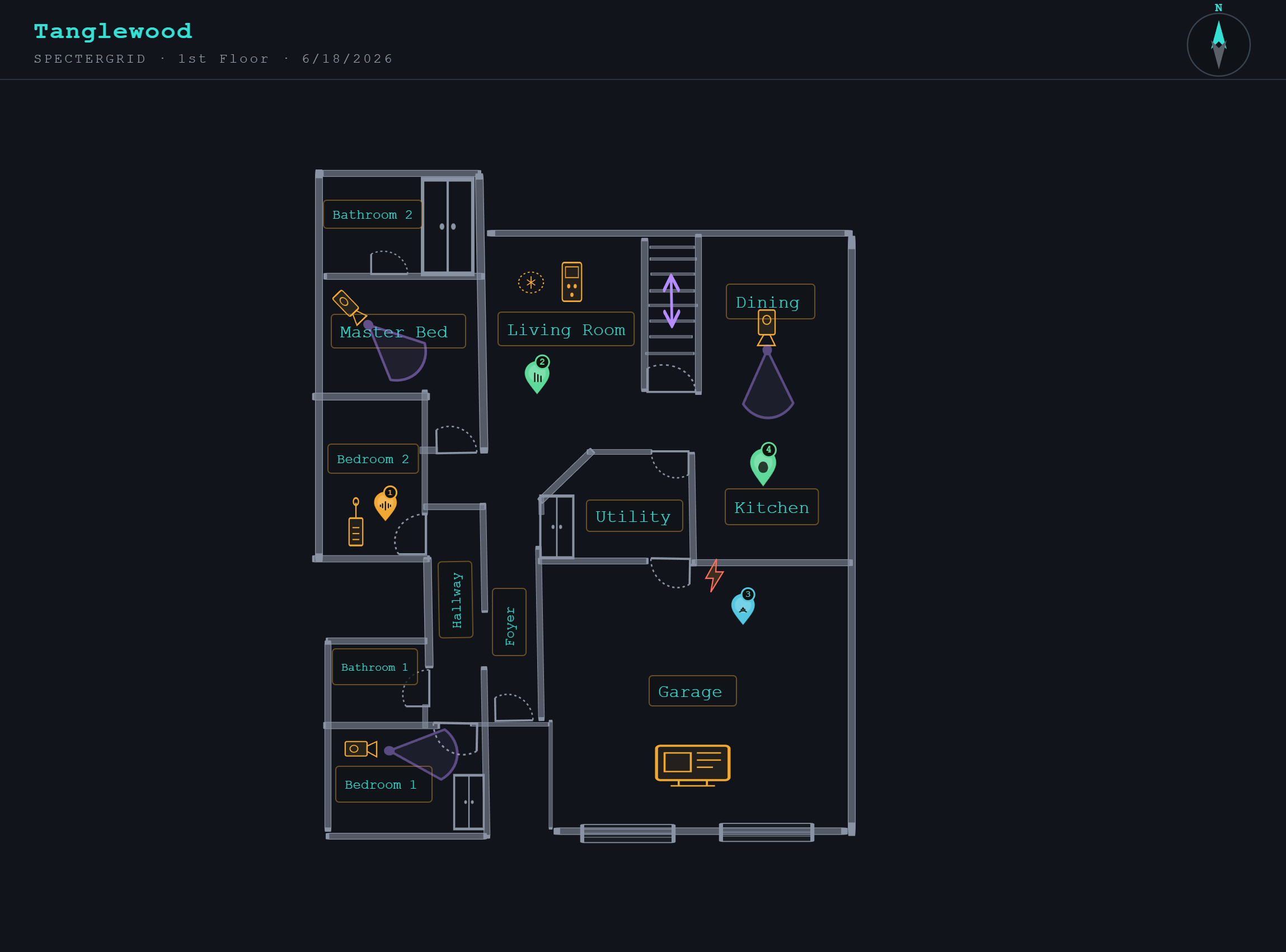
Instead of relying on rough sketches, scattered notes, or memory after the fact, SpecterGrid gives you a clean visual way to build a map of your investigation site, mark key areas, place evidence pins, and export the finished layout for your case files.
Whether you are investigating a private home, historic building, cemetery, hotel, abandoned hospital, theater, battlefield, or outdoor location, SpecterGrid helps you see the investigation as a whole.
Why SpecterGrid Matters
In paranormal investigation, location matters.
An EVP captured in a hallway means more when you can show exactly where the recorder was placed. A cold spot near a staircase becomes easier to compare when it is marked on a map. A motion event, EMF spike, personal experience, shadow report, or unexplained sound should not be buried in a notebook without context.
SpecterGrid helps investigators document the physical layout of a case, connect evidence to specific locations, and create a clearer record of what happened, where it happened, and how the scene was arranged.
Designed for Ghost Hunters
SpecterGrid was built with paranormal field work in mind. It is not a generic drawing app. It is designed around the way investigators actually work in the field.
Create a simple floorplan, map out rooms and hallways, add doors, windows, furniture, trees, gates, outdoor features, equipment locations, and evidence markers. Use it to document the structure before the investigation, during setup, or afterward when organizing your case file.
The result is a cleaner, more professional investigation record that can be used by your team, saved with your notes, or included in a final report.
Key Features
Drag-and-Drop Mapping
Quickly build a visual layout of the investigation site using simple drag-and-drop tools.
Rooms, Walls, and Hallways
Create interior layouts that help show the structure and flow of the location.
Doors, Windows, and Entry Points
Mark important access points, room transitions, and areas where movement or sound could travel.
Outdoor Mapping Elements
Add trees, gates, paths, exterior areas, yards, cemeteries, and other outdoor features.
Evidence Pins
Mark the exact location of EVPs, photos, video captures, EMF spikes, motion events, temperature changes, personal experiences, knocks, footsteps, shadow reports, and other activity.
Equipment Placement
Show where cameras, audio recorders, REM pods, EMF meters, trigger objects, motion sensors, and investigators were positioned.
Optional Pin Export
Export your map with or without evidence pins, depending on how you want to organize or present the case.
Image Export
Save your completed map as an image that can be uploaded into your Lodestra Case File Manager or stored with your investigation records.
Clean Case Documentation
Use SpecterGrid to create a more organized, professional record of each location you investigate.
What You Can Map
SpecterGrid can be used for a wide range of investigation locations, including:
Private homes
Historic buildings
Hotels and inns
Cemeteries
Hospitals and asylums
Theaters
Schools
Churches
Battlefields
Outdoor properties
Basements and attics
Hallways and stairwells
Multi-room investigation sites
Client case locations
What You Can Mark
Use SpecterGrid to mark important case details such as:
EVP capture locations
Camera positions
Audio recorder placement
EMF spikes
Temperature changes
Motion alerts
Personal experiences
Shadow sightings
Knocks and unexplained sounds
Cold spots
Trigger object placement
Investigator positions
Room names
Hot spots
Reported activity areas
Access points
Restricted areas
Built for Better Case Files
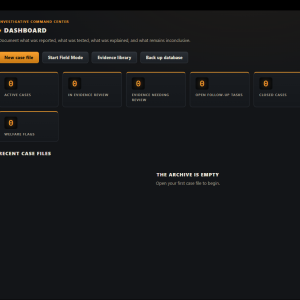
SpecterGrid is especially useful when paired with the Lodestra Case File Manager.
After creating your map, you can export it as an image and upload it directly into your case file. This gives your investigation record a stronger visual foundation and makes it easier to review evidence later.
Instead of saying, “The recorder was somewhere in the back hallway,” you can show exactly where it was.
Instead of writing, “The client reported activity near the bedroom,” you can mark the room, place the pin, and keep that information tied to the map.
SpecterGrid helps turn scattered observations into organized field documentation.
Good Evidence Needs Good Context
Paranormal evidence is easier to understand when it is tied to time, place, and conditions.
A sound on an audio file may seem unusual, but where was the recorder? Was it near a door, window, vent, stairwell, or another investigator? Was there a camera pointed at that same area? Were multiple devices in the room? Did anything else happen nearby?
SpecterGrid helps you preserve that context.
By mapping the investigation site and marking activity points, you create a better foundation for review, comparison, and reporting.
Who Is SpecterGrid For?
SpecterGrid is ideal for:
Paranormal investigators
Ghost hunting teams
Solo researchers
Historical researchers
Case managers
Evidence review teams
Client-based investigation groups
Haunted location researchers
Field investigators
Serious hobbyists
Paranormal content creators who want cleaner documentation
Perfect For Pre-Investigation Planning
Before the investigation begins, use SpecterGrid to plan your setup.
Map the location, decide where cameras and recorders should go, mark areas of reported activity, and identify rooms or pathways that may need special attention.
A clear map helps the team stay organized before anyone starts collecting evidence.
Perfect For Post-Investigation Review
After the investigation, use SpecterGrid to organize what happened.
Mark where evidence was captured, where investigators were standing, where equipment was placed, and where experiences were reported. This gives your team a clearer way to review the case and look for patterns.
When evidence is mapped visually, connections become easier to see.
Export and Save Your Work
SpecterGrid allows you to export your finished map as an image, making it easy to save, share, print, or upload into a case file.
Export a clean layout for planning, or export a marked version with evidence pins for documentation.
Why Ghost Hunters Need a Mapping Tool
Too many investigations end with piles of files and not enough context.
Audio clips, photos, videos, sensor readings, and personal notes all matter, but they become stronger when you know exactly where they came from.
SpecterGrid gives ghost hunters a simple way to connect evidence to the physical location.
It helps answer important questions:
Where was the evidence captured?
Where was the equipment placed?
Who was nearby?
What rooms were connected?
Was the activity near an entrance, window, stairwell, or hallway?
Did multiple events happen in the same area?
Is there a pattern across the location?
That kind of organization can make a major difference during evidence review.
A Smarter Way to Document Haunted Locations
SpecterGrid gives paranormal investigators a cleaner, more visual way to document the places they investigate.
It is simple enough for quick field use, but useful enough to become part of a serious case file.
Map the location.
Place the equipment.
Mark the activity.
Export the record.
SpecterGrid helps you bring order to the unknown.
Suggested Use
Use SpecterGrid before, during, or after an investigation to create a visual record of the location and evidence points.
For best results, create a basic map before the investigation, mark equipment placement during setup, then add evidence pins during review.
Important Note
SpecterGrid does not prove or disprove paranormal activity. It is a documentation and mapping tool designed to help investigators organize location data, evidence placement, and field observations more clearly.
Product Summary
SpecterGrid is a paranormal location mapping tool for ghost hunters and field investigators. Build visual maps of investigation sites, mark equipment placement, add evidence pins, document activity zones, and export the finished map for your case files.
Reviews
There are no reviews yet.